


The complete video assist workflow.
One screen.
Designed by video assist operators for professionals. Clean layouts, high information density, and right-click menus. No giant buttons or clunky touch targets.

The heart of the operation.
Record, play back, edit, and composite up to 4 live VFX layers with a built-in professional NLE. Built for Mac.

Record the take.
Run multi-camera rolls, sync groups, scene / shot / take metadata, sub-takes, and ratings from one transport bar.

Review the shot.
Recall the take, compare cameras, mark the usable moment, and get back to live without losing your place.

Live Compositing.
The integrated NLE isn't just for editing — build up to 4 layers of live VFX in real-time with cameras, stills, and effects.

Play it back right.
Keep playback, marks, camera context, and the live return in one place — so the whole village follows the same moment.

Bring in the village.
Keep the crew on the picture with Osiris Monitor for iPhone, iPad, and Mac — on set or by invitation from anywhere.

Know the take.
Keep scene, shot, take, timecode, ratings, notes, and camera metadata where the crew can find them when it matters.
Leave the cart. Keep control.
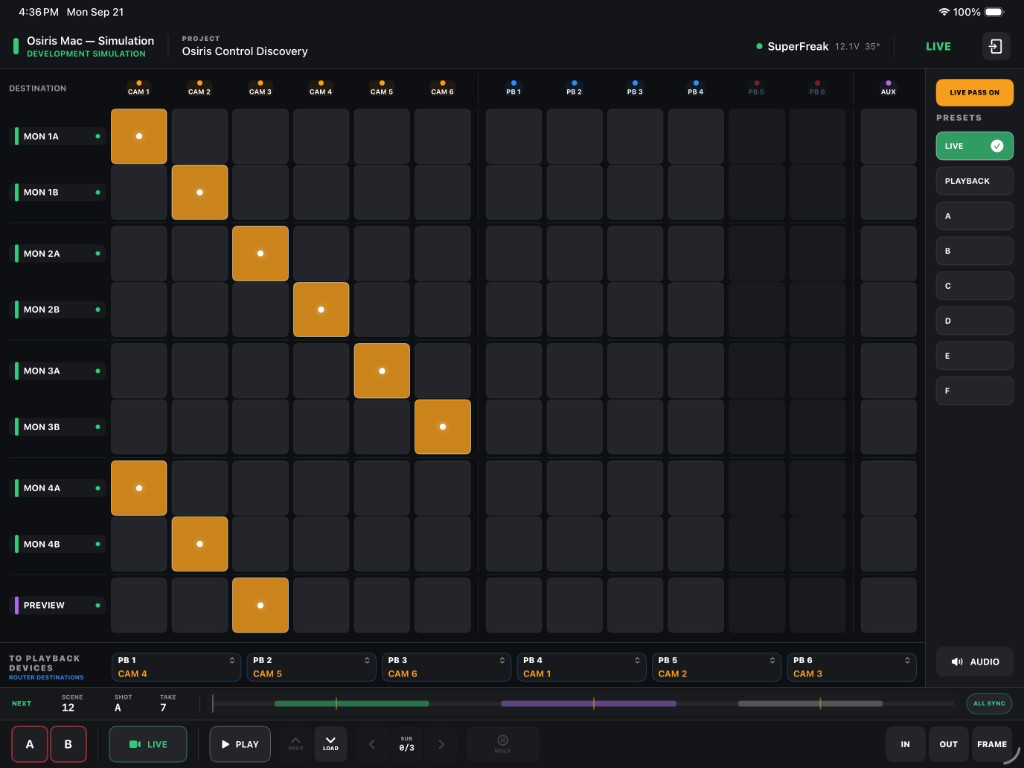
A focused operator companion for routing, recording, playback, and essential set controls — securely connected to Osiris over your local network.
Route the village.
Operate SuperFreak, Blackmagic Videohub, and AJA Kumo routing from a touch-first semantic layout built around cameras, playback devices, and monitor destinations.
Run the essentials.
Record, switch Live and Playback, navigate clips and sub-takes, set playback behavior, and keep Scene / Shot / Take information in view.
Secure and local.
Pair one authorized iPad with the operator's Mac. Encrypted commands stay on the local network, with persistent trust and explicit device revocation.
Requires iPadOS 17 or later, or an Apple silicon Mac running the iPad app. Requires Osiris for macOS and a shared local network.
See the shot from anywhere.
Companion apps for iPhone, iPad, and Mac — live feeds streamed securely from set to wherever your crew is.
Live Remote Monitoring
Watch the operator's feeds in real time — on location, in the next room, or across the country — with low-latency streaming tuned for set.
Secure by Design
Streams are encrypted in transit and access is invite-only. Only the people you approve ever see your footage.
Frame-Accurate Capture
Grab clean reference frames on the spot and keep everyone — director, client, and crew — looking at the same picture.
iPhone & iPad on the App Store · Mac is a direct, Apple-notarized download
